
 Dribbble



Modern frontend apps don’t stay small for long. A few components here, a couple of pages there. But suddenly you have 200+ components, 40+ custom hooks, and finding anything feels like searching for a needle in a haystack. Sound familiar?
If you’re working on a growing application, you’ve probably hit the point where traditional organization patterns start to break down. Components scattered across folders, unclear ownership, and merge conflicts become daily frustrations.
In this guide, we break down a practical, battle-tested, feature-based architecture that works for both React and Next.js — especially when your app starts hitting real complexity.
No theory. No over-engineering. Just a clean structure your team can adopt and thrive with.
Table of Content
- The Problem: React & Next Apps Don’t Scale Automatically
- What Is Feature-Based Architecture
- A clean Folder Structure (React & Next.js Friendly)
- API Architecture That Scales
- Feature Folder in Action
- Shared Layer: The backbone
- Why This Architecture Works
- Final Thoughts: Architecture Should Help You Ship Faster
The Problem: React & Next Apps Don’t Scale Automatically
React offers flexibility.Next.js adds conventions like routing, layouts, and server components.
But neither gives you a full architecture.
As your app grows:
- Components start leaking into each other
- Hooks get duplicated across features
- Shared utilities become a dumping ground
- API logic spreads everywhere
- Folder structure becomes guesswork
The result?
Developers waste time trying to find things instead of building features.
That’s where a feature-based architecture becomes a game-changer.

What Is Feature-Based Architecture?
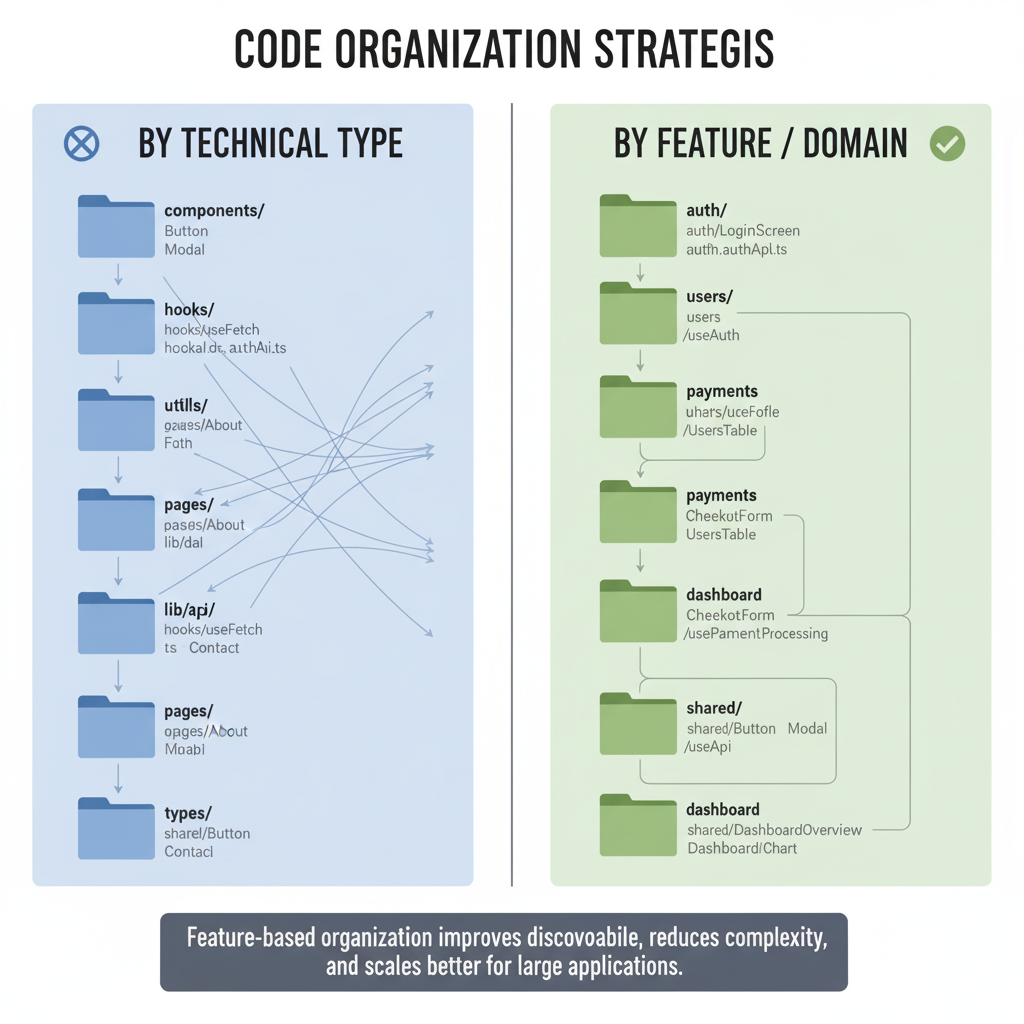
Instead of grouping your app by technical type like:
components/
hooks/
utils/
pages/
You group your code by feature or domain, such as:
auth/
users/
payments/
notifications/
dashboard/
Inside each feature folder, you keep everything that belongs to that feature:
- UI components
- Hooks
- Services
- Schemas
- Types
- Utils
- Tests
This component isolation makes your code easier to maintain, test, and scale across multiple developers and teams.

A Clean Folder Structure (React & Next.js Friendly)
Below is a simplified, scalable structure based on the one you shared — cleaned, generalized, and adapted so it works for both React & Next apps.
├── app/                      # Only for Next.js (App Router)
│   ├── (routes)/            # Public or protected route groups
│   │   └── feature/         # Route-specific pages per feature
│   └── layout.tsx
│
├── components/
│   ├── ui/                  # Reusable UI primitives (Button, Input)
│   ├── shared/              # Layouts, form elements, wrappers
│   └── features/            # Component groups by feature
│       ├── auth/
│       ├── users/
│       └── dashboard/
│
├── lib/
│   ├── api/                 # API clients or axios/fetch wrappers
│   ├── hooks/               # Cross-feature reusable hooks
│   ├── stores/              # Zustand or Redux stores
│   ├── utils/               # Non-feature utility functions
│   └── queries/             # React Query / TanStack Query logic
│
└── types/                    # Global TypeScript types
API Architecture That Scales
Whether you use REST, GraphQL, or tRPC, keep API logic outside components.
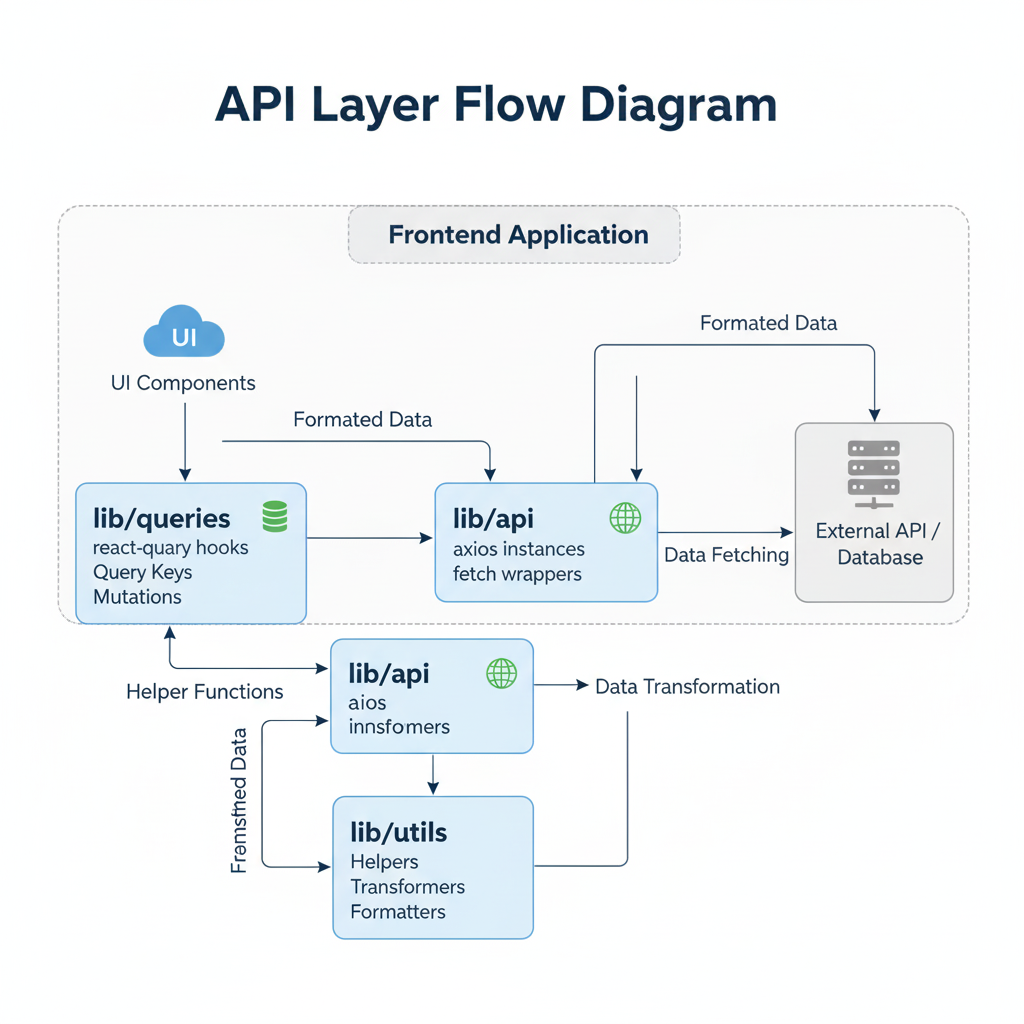
lib/
├── api/         # axios instances, fetch wrappers
├── queries/     # react-query config, query keys, mutations
└── utils/       # helpers, transformers, formatters
Why?
- Keeps UI clean
- Allows reuse across features
- Helps migrate APIs later
- Reduces bugs caused by duplicated logic
Feature Folders in Action
Let’s take an example feature: Notifications.
Feature folder should contain:
components/
hooks/
schemas/
utils/
services/
types.ts
/components/features/notifications/
│
├── components/
│ ├── NotificationList.tsx
│ └── NotificationCard.tsx
│
├── hooks/
│ └── useNotifications.ts
│
├── schemas/
│ └── notification.schema.ts
│
├── utils/
│ └── formatNotification.ts
│
└── types.tsNow every developer instantly knows where everything lives.
No digging. No guessing.
Shared Layer — The Backbone
Some code is not feature-specific:
- Buttons
- Form components
- Modals
- App layout
- Navigation
- Error boundaries
This belongs in:
components/shared/
components/ui/
Why This Architecture Works (React + Next)
- Scalable: Works with small teams and large teams.
- Consistent: Every feature looks the same → no mental overhead
- Reduces merge conflicts: Teams work in isolated folders → fewer overlapping changes.
- Works for both frameworks: React developers get clean client-side organization and Next.js developers leverage route groups + layouts + RSC.
Final Thoughts: Architecture Should Help You Ship Faster
The best architecture is the one that:
- keeps your codebase understandable.
- makes onboarding easy.
- avoids duplication.
- adapts to growth.
- and stays consistent across features.
This feature-based structure isn’t theory — it’s used by modern SaaS products, internal tools, enterprise dashboards, and high-scale apps.
