
 Dribbble


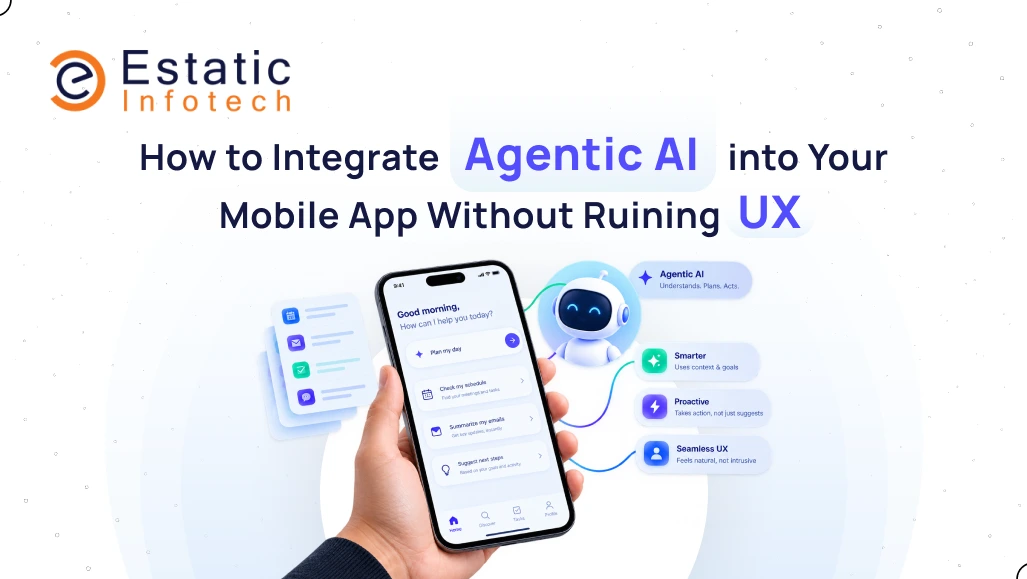
Product teams everywhere are scrambling to add autonomous capabilities to their software. Founders worry that skipping this wave means falling behind competitors, so they rush to add a glowing chat interface to their mobile app. They hook it up to a large language model for API and expect users to figure it out.
Instead, users open the app, type a request, and stare at a blank screen for seven seconds while a loading animation spins.
That approach damages user retention. Agentic AI operates differently than a standard button or search bar. It makes autonomous decisions, runs multi-step execution loops behind the scenes, and occasionally produces unexpected outputs. Forcing smartphone users to chat with a complex agent just to filter a product list or complete a simple task creates massive friction.
Building intelligent mobile features requires deliberate structural design. If your team needs guidance implementing autonomous workflows into production apps, partnering with an experienced mobile app development team helps prevent common architectural mistakes.
Let's examine how to embed Agentic AI into a mobile product while protecting the user experience.
Why Mobile Screens Challenge Autonomous Agents
Desktop web applications offer expansive screen real estate. You can place a sidebar chat window on the left, a main workspace in the center, and a diagnostic log on the right.
Smartphones offer a compact piece of glass.
Screen space is extremely limited. When an agent executes a multi-step workflow in the background, such as fetching account details, checking inventory logs, and updating records, it generates substantial intermediate data. Streaming all that reasoning text directly onto a phone screen overwhelms the layout.
Network latency also impacts mobile engagement. Users tolerate minor delays on desktop systems, but mobile interactions require instant feedback.
When an agent must query multiple external APIs before displaying an answer, response times stretch out. Designers must account for this latency rather than ignoring network constraints.

Moving From Reactive to Proactive UX
Many developers build reactive agents that wait silently inside a chat window for user input.
This model struggles on mobile because typing on virtual keyboards is cumbersome. If an app forces users to craft detailed prompts to receive value, engagement declines rapidly.
Effective Agentic AI should function proactively.
Instead of waiting for instructions, the agent analyzes contextual behavior to surface helpful shortcuts. If a user browses specific product categories in an e-commerce app, an agent can display a subtle, non-intrusive card highlighting matching items currently in stock.
The agent handles the heavy lifting in the background, allowing the user to complete the action with a single tap.
When building native iOS applications, collaborating with specialists who know how to hire iphone app developer talent ensures background processes align smoothly with strict platform power management rules.
Implementing Guardrails for Autonomous Actions
An autonomous agent possesses the ability to take real actions, such as updating account details, sending notifications, or modifying data records.
Allowing an unconstrained model to execute database changes without oversight introduces significant operational risk.
Applications must establish clear confirmation checkpoints.
If an agent prepares to rebook a reservation or adjust a user setting based on a voice command, it should present a transparent confirmation sheet before submitting the request.
This structured approach applies directly to multi platform mobile app development, where consistent UI components across iOS and Android ensure users always understand what an agent plans to do next.
Human oversight remains essential for financial or destructive actions. The agent assists the user, but the user retains final authorization control.
Managing Latency and Visual Thinking States
Complex agent workflows occasionally require extra processing time. Keeping users informed prevents them from assuming the application has frozen.
Generic loading spinners often create anxiety because they offer no context about background progress.
Progressive disclosure states provide a better alternative.
When an agent queries multiple data sources, displaying step-by-step updates, such as checking availability, comparing rates, and finalizing details, keeps the interaction transparent.
This visibility turns waiting time into an informative experience.
Software engineering trends highlight this evolution. Exploring how generative ai is changing software development in 2026 demonstrates that modern engineering focuses less on raw model size and more on workflow orchestration and thoughtful user interface framing.
Avoiding Conversational Bloat
Not every application requires a conversational chatbot interface.
Users generally prefer completing tasks with minimal taps. When transferring funds or updating profile details, users want straightforward interactive controls rather than conversational prompts.
Agentic AI functions best as backend intelligence that powers your app rather than dominating the primary screen. Use models to parse unstructured input, predict user intent, and manage data processing, then render the output using standard native elements like buttons, toggles, and structured lists.
This philosophy reinforces the core concepts of why mobile first matters, where physical screen constraints demand simplicity above all else.

A Pragmatic Integration Blueprint
Adding autonomous capabilities safely involves a structured rollout strategy:
- Target high-friction tasks: Identify specific workflows that currently require multiple manual steps.
- Build deterministic backends first: Ensure core APIs function reliably without AI dependencies.
- Add an intent layer: Use a fast, lightweight model to map user input or behavior to your deterministic APIs.
- Design clear confirmation UI: Require explicit user verification before executing sensitive actions.
- Monitor drop-off metrics: Track user behavior during agent reasoning phases to refine and simplify workflows continuously.
Treating AI as a core utility rather than a superficial feature helps maintain product stability, respects device constraints, and delivers a dependable user experience.